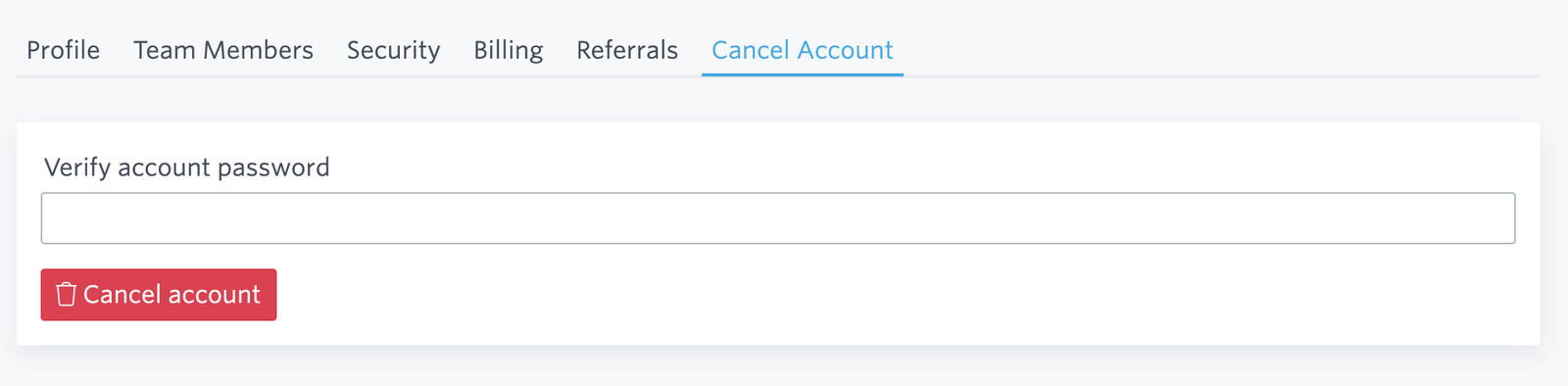
Navigate to Cancel Account to begin the cancellation process.
If you want to cancel your account, you'll need to first make sure that any active clusters you have are deprovisioned first. If you have any active clusters on your account, you'll see a notice like this:

For instructions on how to deprovision your clusters, please visit Deprovision a Cluster.
Once you have deprovisioned all of the clusters on your account, you will be able to cancel your account completely. You will see a screen requesting your account password to confirm the cancellation.
So long, farewell, auf Wiedersehen, good night!
We're sorry that you no longer want to have an account with us, but wish you the very best with your application and search. If there's anything you feel we could do better, please don't hesitate to send us an email with comments.
Ready to take a closer look at Bonsai?
Bonsai manages your search clusters and helps you achieve better search results for your users and your business. Find out if Bonsai is a good fit for you in just 15 minutes.