You must have an Enterprise account to enable Okta Single Sign-On. Once enabled for your account, all users must login via Okta. This can be done from the login form with any password, or from the Okta End-User Dashboard.
To enable Okta you must:
- Reach out to support@bonsai.io and request Okta for your Bonsai account.
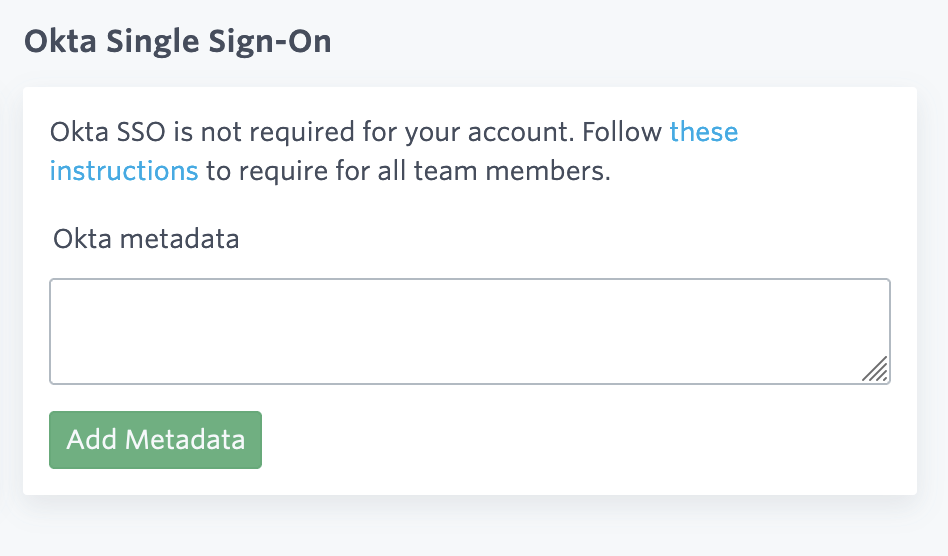
- Navigate to your account security page to find a form to enter your metadata from Okta. You will see a screen similar to this:
- In Okta, select the Sign On tab for the Bonsai app:
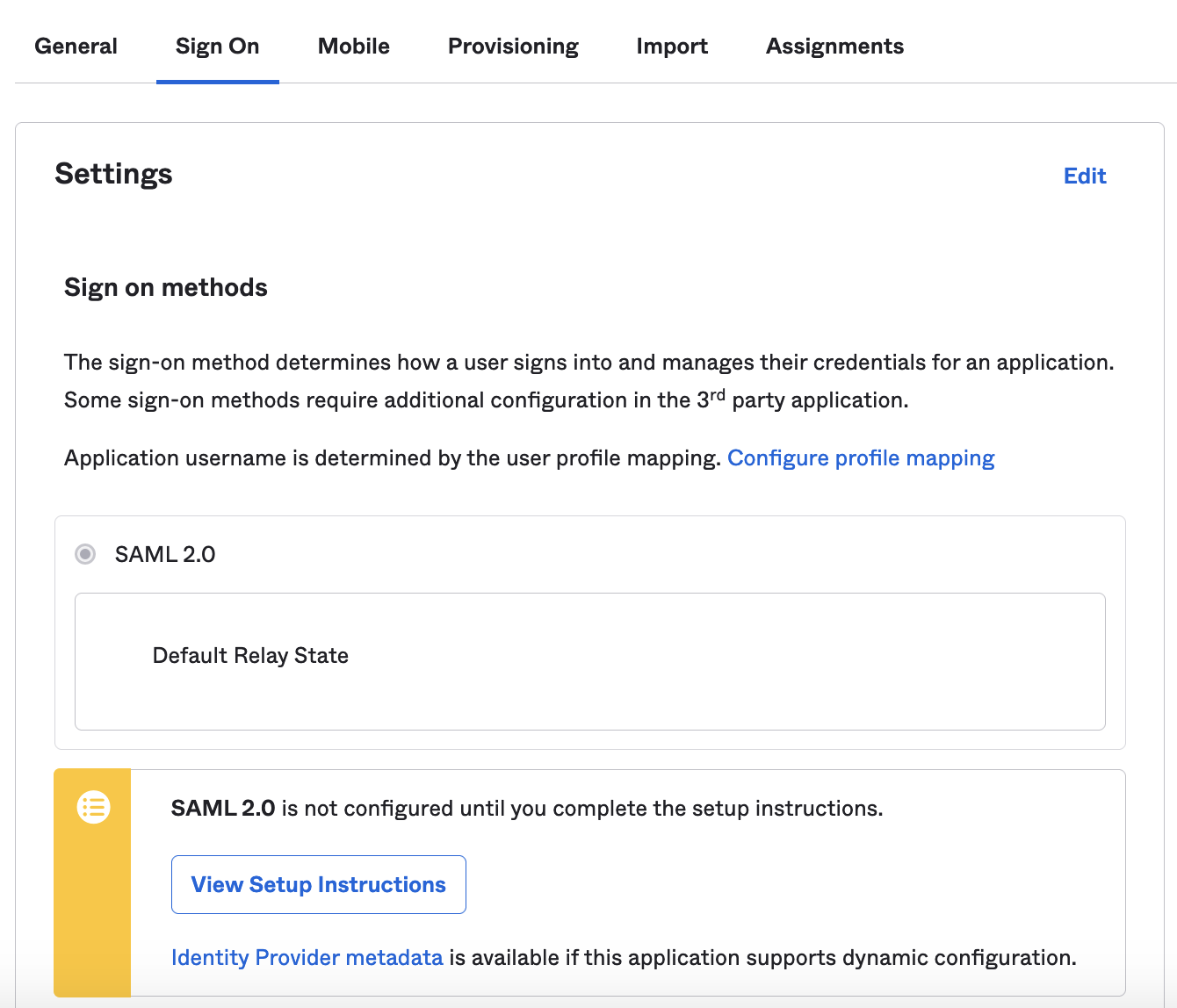
- Click on View Setup Instructions which will open a new page. Scroll to the bottom of the page to find and copy your IDP metadata.

- Paste the metadata into the form on the Bonsai account security page and submit by clicking Add Metadata.
- Now Log into Bonsai via the Okta End-User Dashboard and Bonsai will activate and require Okta for all users associated with your account.
Ready to take a closer look at Bonsai?
Bonsai manages your search clusters and helps you achieve better search results for your users and your business. Find out if Bonsai is a good fit for you in just 15 minutes.