Bonsai Elasticsearch can be removed via the command line or Heroku's app Dashboard.
Using the Command Line
The Bonsai Add-on can be removed from the application via Heroku's command line tool:
heroku addons:destroy bonsai
Output:
Removing bonsai from sharp-mountain-4005... done, v20 (free)
This will destroy the cluster and all of its data instantly.
Using the Heroku Dashboard
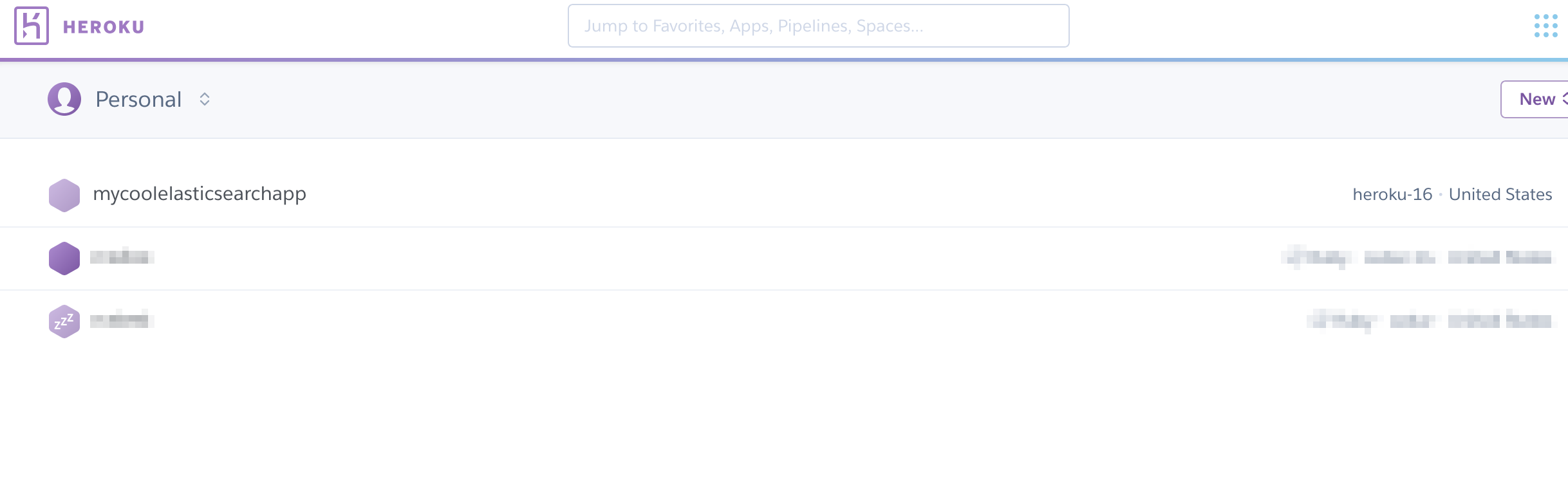
To remove the Bonsai Add-on from the Heroku Dashboard, log in to your Heroku account and click on the app the Add-on is attached to. In this example, that Add-on is mycoolelasticsearchapp:
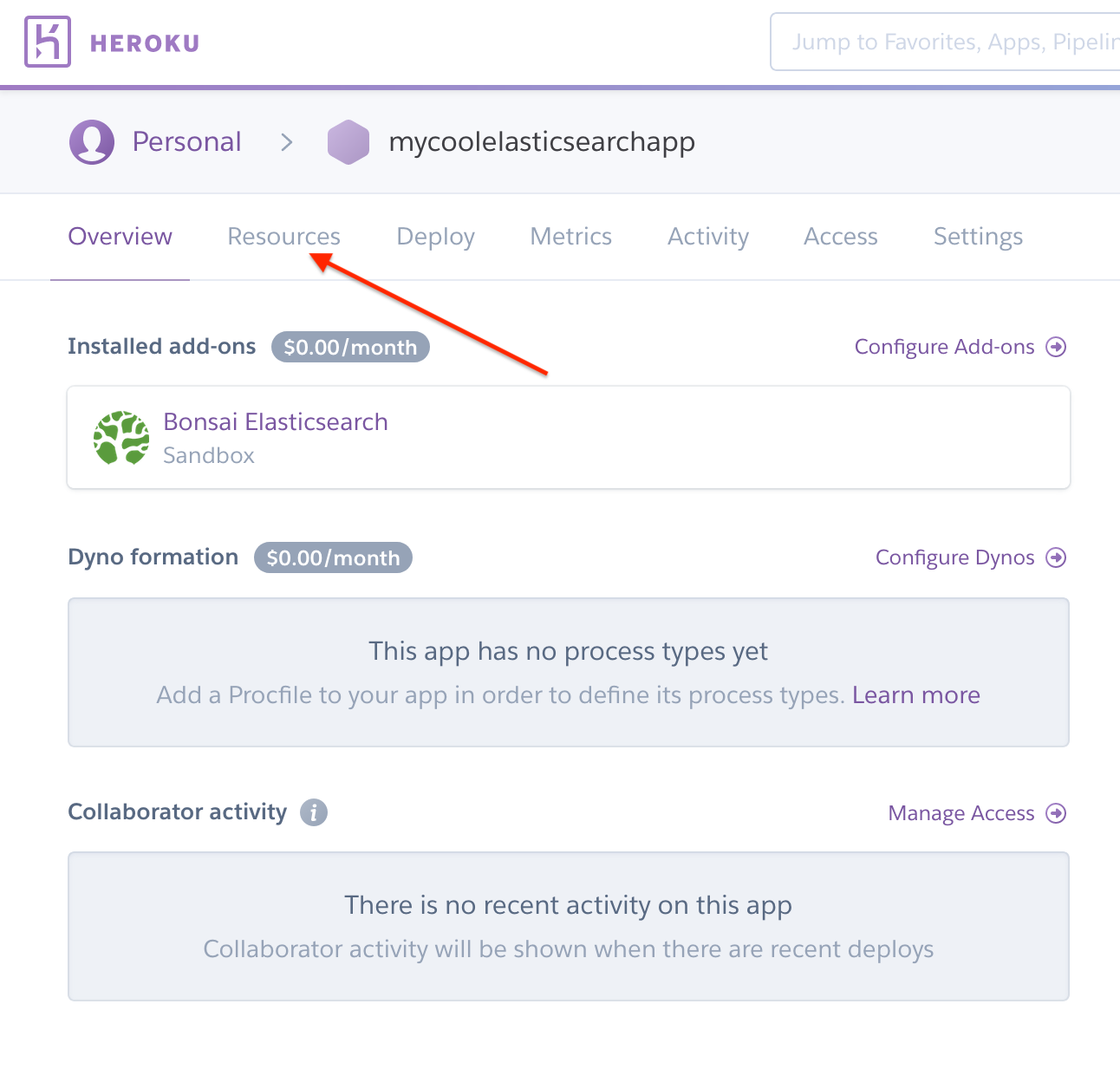
Next, click on the Resources tab:
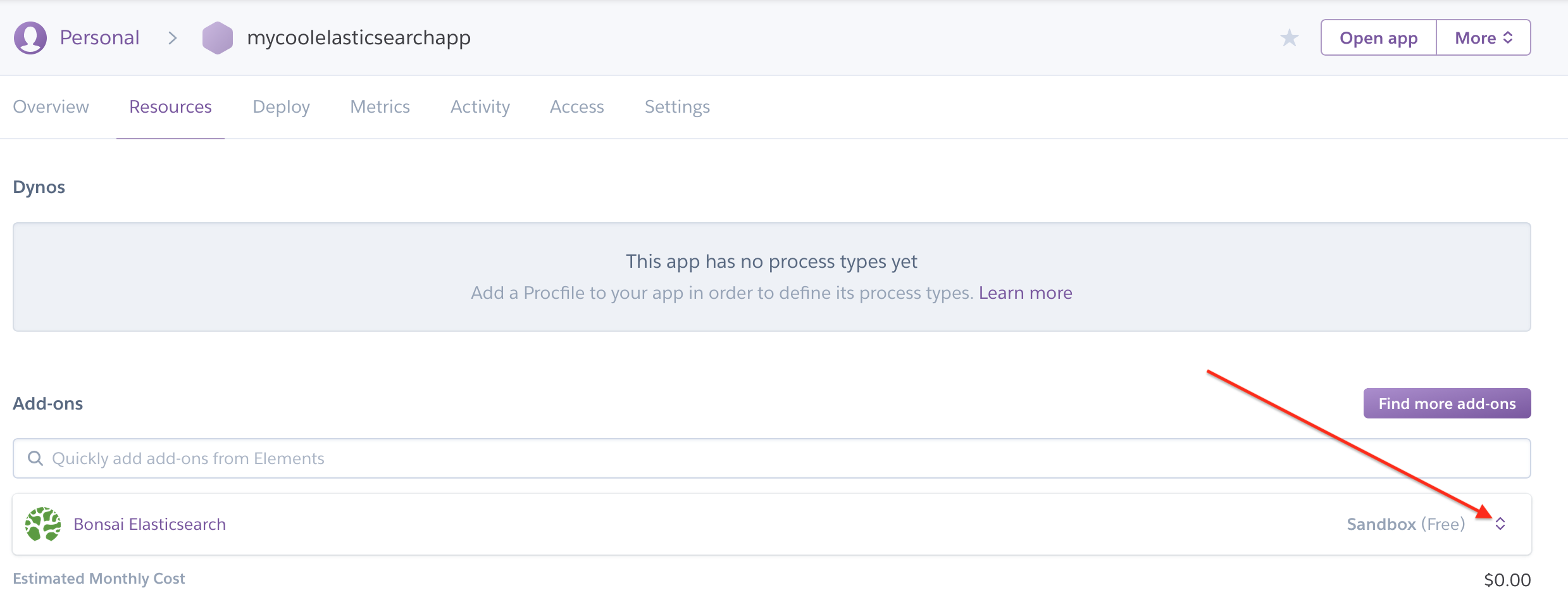
Find the Bonsai Add-on in the list of application Add-ons, then click the carot menu:
Select “Delete Add-on” from the list of options. You will need to type in the app's name to confirm the removal of the Bonsai Add-on:
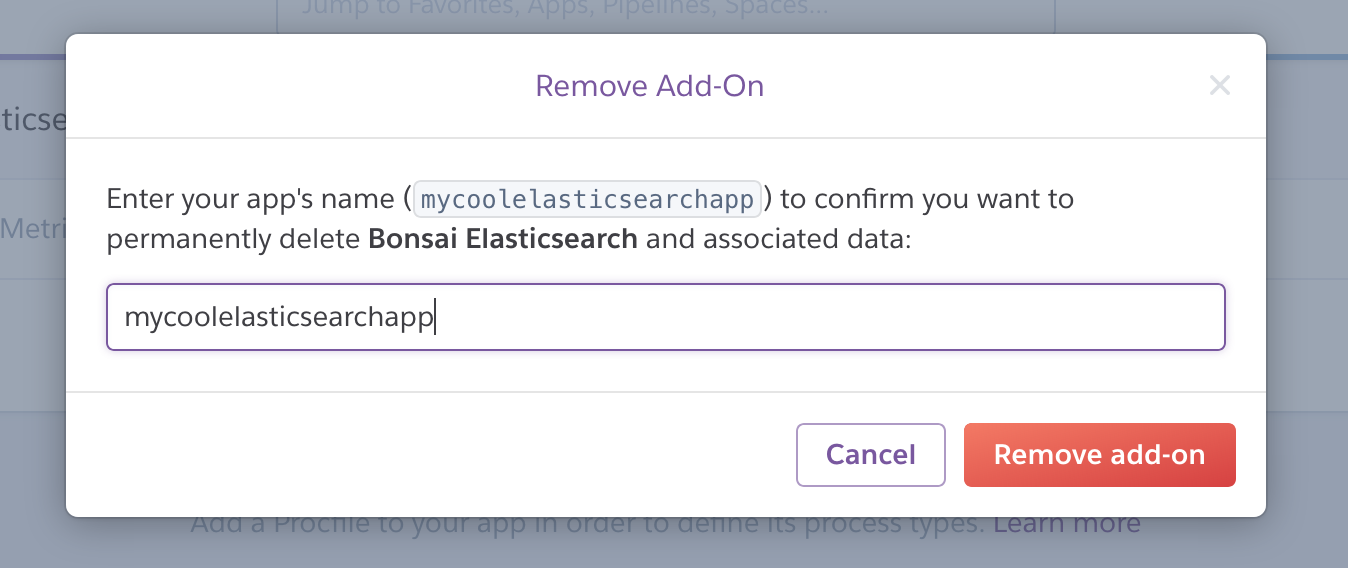
Click on “Remove Add-on” to complete the process.
Ready to take a closer look at Bonsai?
Bonsai manages your search clusters and helps you achieve better search results for your users and your business. Find out if Bonsai is a good fit for you in just 15 minutes.